How to keep your résumé to one page
Keep a résumé to one page by leaving off what this job doesn't need, not by shrinking everything until it fits. Lead with the experience that matches the posting, give older or less relevant roles a line or two, and stop when the page is full. Smaller fonts and thinner margins make a page that fits and is hard to read.
What to keep
- The roles and projects that match this posting, with the bullets that show it.
- Results with numbers, where you have them.
- Skills the posting asks for that your experience backs up.
What to leave off
- A bullet that makes the same point as another one.
- Duties anyone in the role would have, with no result attached.
- Detail on old roles that have nothing to do with this job. The title, the employer and the dates can be enough.
- "References available on request."
Shorten before you cut
A bullet that runs two words onto a second line costs a whole line. Tighten it first: "responsible for", "various" and "successfully" can usually go. That often makes room for one more bullet.
Fill the page without padding it
If there's space left at the bottom, add back the next most relevant bullet rather than spreading out what's there.
When two pages is fine
One page suits most early-career résumés. With many years of experience that matter to the job, two full pages can be right. Half of a second page usually reads as one page that didn't fit.
Doing it with bettershell.ai
bettershell.ai makes one page by default. It scores your profile against the posting, keeps what fits this job best, and rebuilds the layout every time you edit, so nothing spills onto a second page. What it left off is listed, best fit first, and you can add any of it back. If you want two pages, that's a setting.
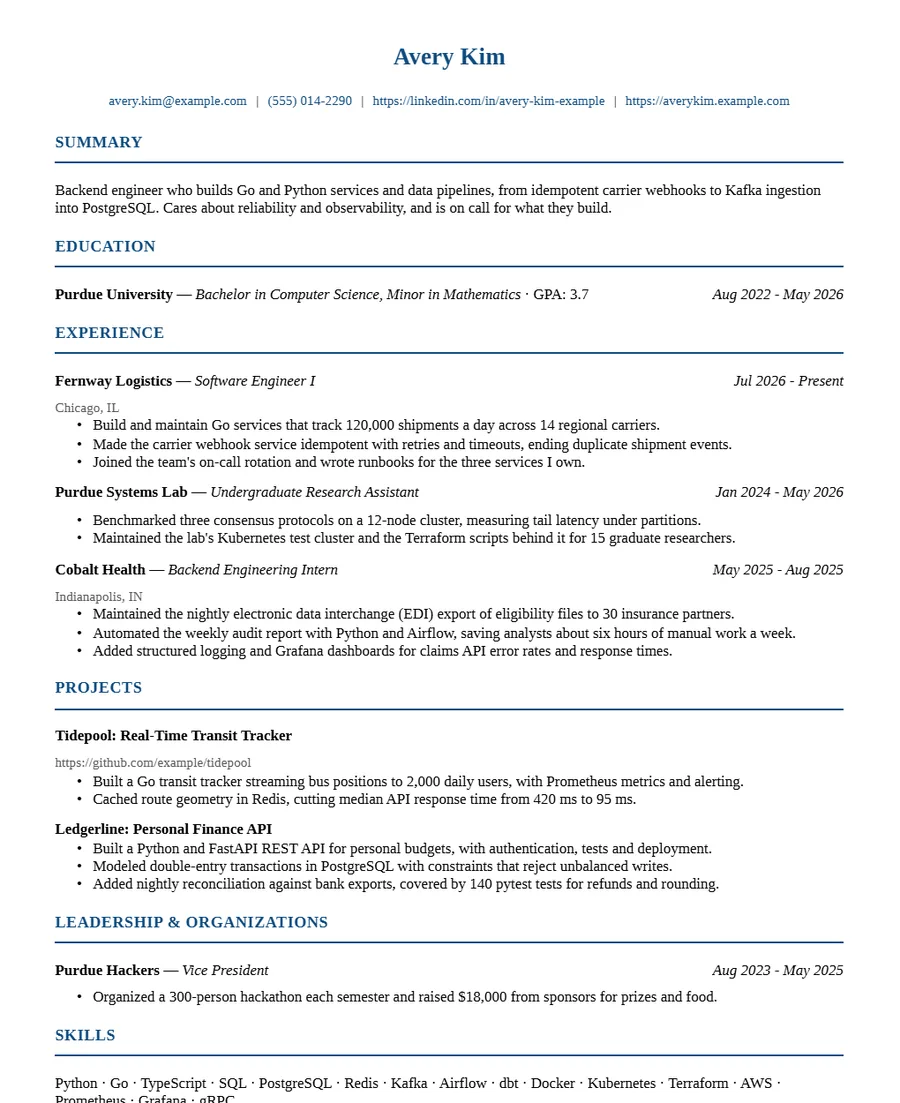
Example résumé of an invented person, Avery Kim. Not a customer.
Try it on the next job you apply to.
Your first tailored résumés are free, with no card. See pricing.